Speedy testing of Dynamics 365 services in Postman
As most of you might be aware the standard approach for testing OData and custom service API calls requires the creation of an App registration
In reality the prerequisite to have admin access to Azure Active Directory (Azure AD) can be sometime a major concern and leads often to exterme delays in providing the dynamics developer / business consultant with such a method of authentication.
The following workaround provides a quick solution for bypassing the App registration requirement and only requires that the user has access to the environment. This demo was done for a D365 F&O app but it will work for D365 Power platform apps as well.
Installing the Postman Interceptor chrome extension
Postman Interceptor extenison can be installed in any chrome based browser.
The only requirement is to have the Capture cookies set to ON just like in the setup below
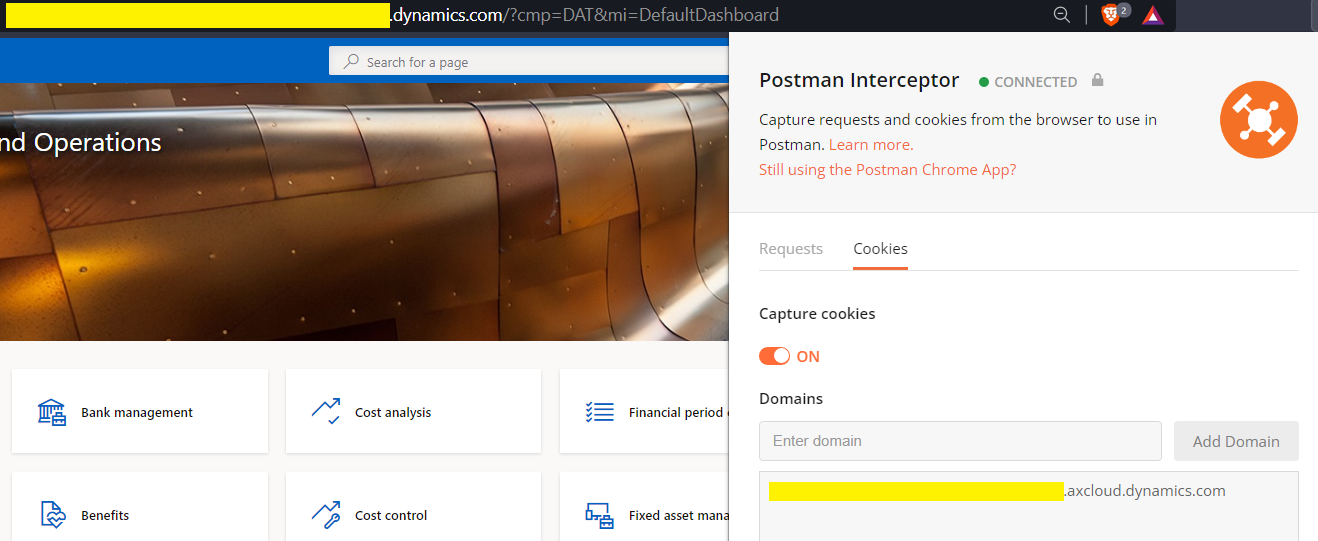
Postman setup
First we need to setup the postman interceptor to Capture requests and cookies
The setup is quite easy and completely automated by the postman team. Once that is completed you will need to specify the url of the dynamics environment. You should end up with something similar setup.
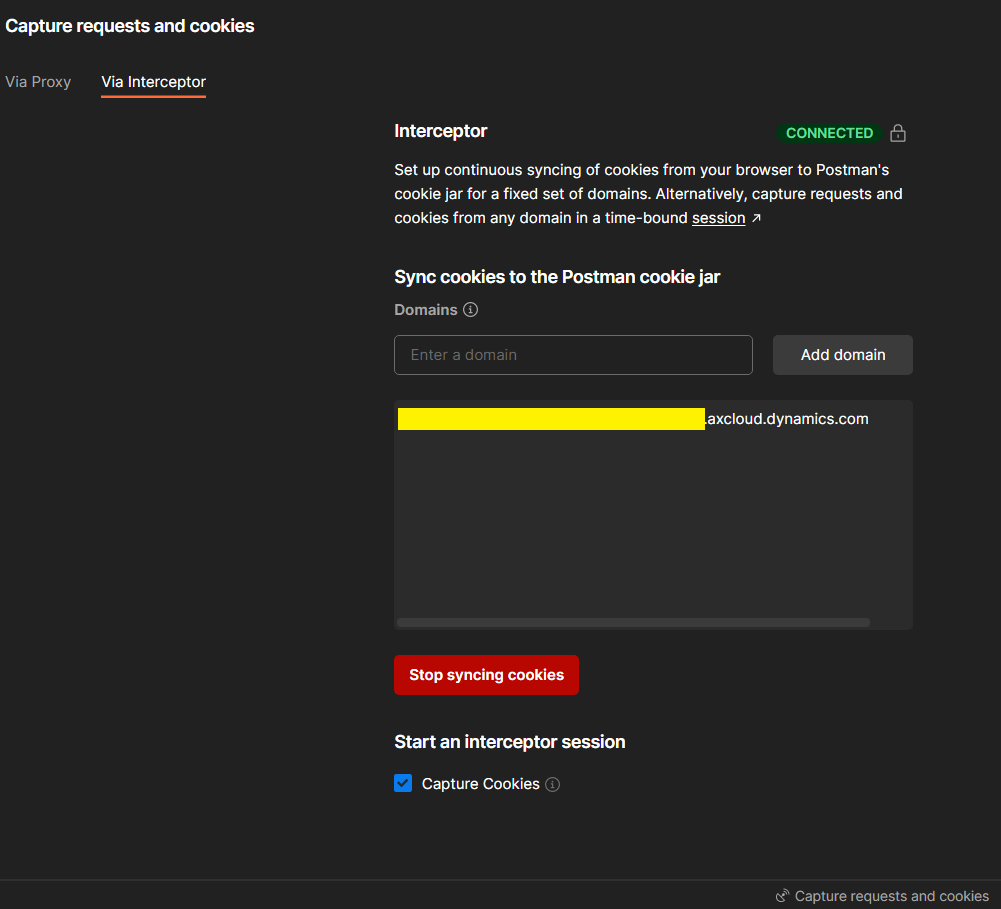
API testing
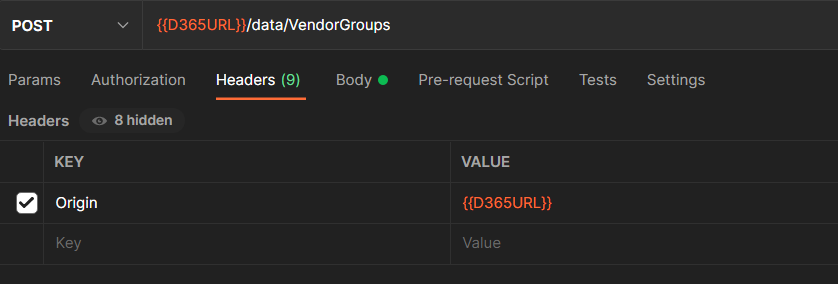
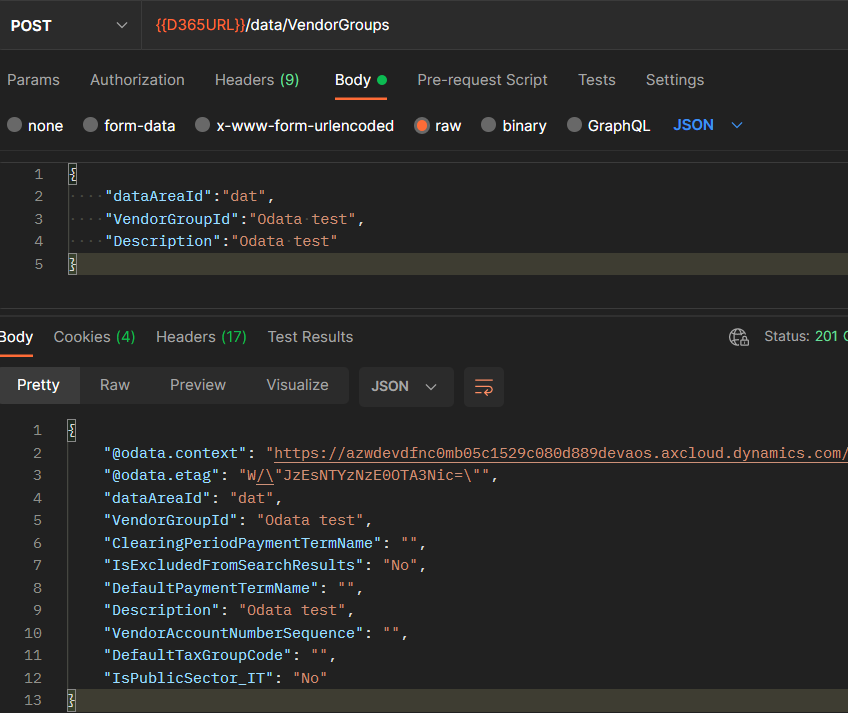
Now that all setup is in place let’s do an simple OData call. One thing to note is that the D365 url must be setup without the trailing backslash.
Here is a simple example which creates a vendor group.
Simply run it without any additional setup and the record will get created
Observations
There are other options out there that can help the developers such as Power automate connectors. However the Dynamics connectors are premium.
There is also the option to Edit and resend the request in the Mozilla Firefox. Thanks to this feature i was able to work out that the “Origin” header needs to be added to the Postman call.
I hope this will make the work easy for some of the integration experts out there.
Happy testing !!!